
Attack Planner
The Attack Planner sends your attacks, raids and reinforcements for you, so they land at the exact second you choose.
Video
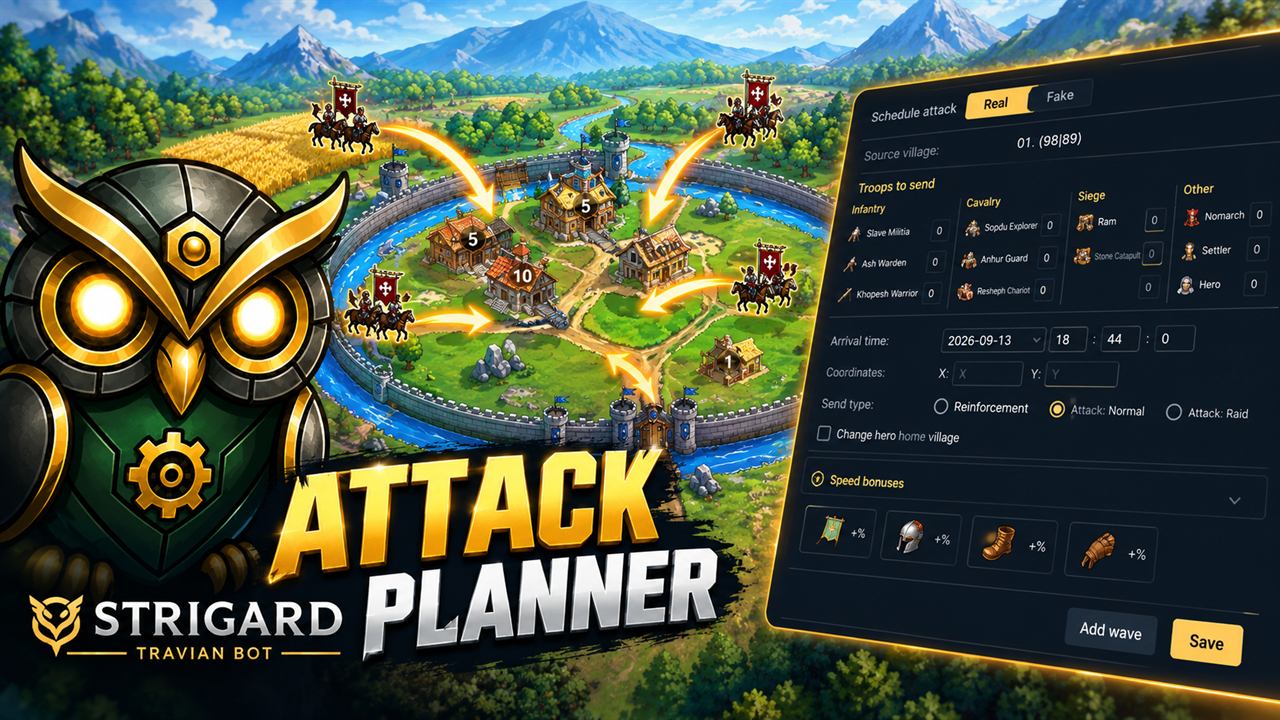
How it works
Instead of sitting at the rally point and clicking at the right moment, you choose when your troops should arrive. The bot works out the travel time from the distance, the troop speed and your speed bonuses, and sends them on the exact second.
You can plan a single attack, raid or reinforcement, or build a full wave from the same village, each attack with its own troops and landing in the order you set. For fakes, you give it a list of coordinates and they all land at the same time.
A real attack or a wave
- Click Schedule attack.
- Pick the source village, the target coordinates and the send type: Attack, Raid or Reinforcement.
- Set the arrival time. The bot works out when to send.
- Choose the troops. If you send catapults, you can also pick their targets.
- Add your speed bonuses — Tournament Square, artifact, hero boots and left-hand item — to see the travel time and the departure.
- Click Add wave to stack more attacks. Each one has its own troops, and you can change the order they land in.
- Save. The attack appears in the list with a live countdown.
Fake attacks
- In a new attack, switch to Fake.
- Add each target with its X and Y and Add target. You will see the village name and the travel time.
- Set the waves per coordinate and one arrival time for all of them.
- Save.
Before it sends
Right before sending, the bot opens the rally point and checks that the troops are really in the village. Then it fills in every attack and confirms each one on the right second, in the right order. You just leave the bot running and get on with the rest of the game.